When you click on the registration link, you will be taken to our online registration database, CampInTouch. You will need to create an account in order to submit your application, whether you are a camper parent or a staff applicant.
Forgot your password? Locked out? Please submit a request to reset your password, which must be done by a Camp TRS administrator. It is not done automatically in order to ensure privacy of your data. Requests to reset passwords will be processed as quickly as possible, but please be patient during evenings and weekends.
Please note: the staff application uses a different CampMinder system.
After you sign into your account, you will be taken to your dashboard.
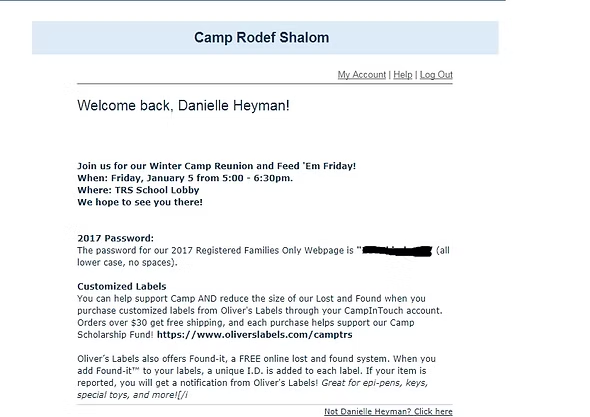
At the top we post important information, such as the password you will need to access the camp photos we have posted on the photos page. (Image 1).
Image 1: CampInTouch Announcements Banner
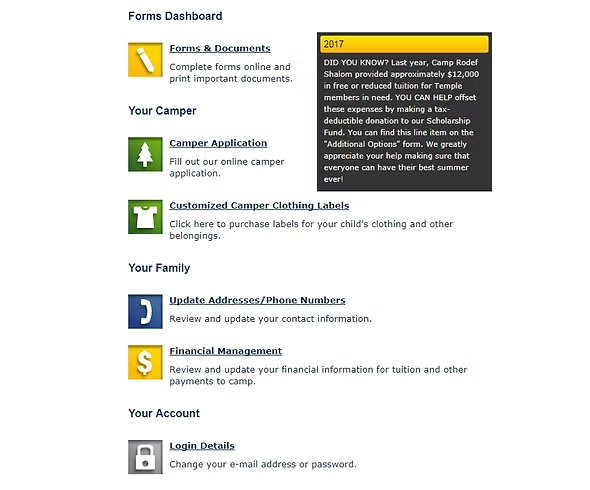
Under the announcements are different icons to guide you through CampInTouch (Image 2).
Each of the icons takes you to a different module of your account. You can update your contact information, order customized labels, change your password,or update your camper application (without incurring another application fee).
Take a peek to see how each module works!
Below are some important features to explore:
Image 2: CampInTouch Module Icons
Forms and Documents Module
Once your camper has been enrolled, you will be able to access all your camp forms using the “Forms and Documents” Module. Most of our forms are online, and should only take a short time to complete. We try to make our forms as painless as possible!
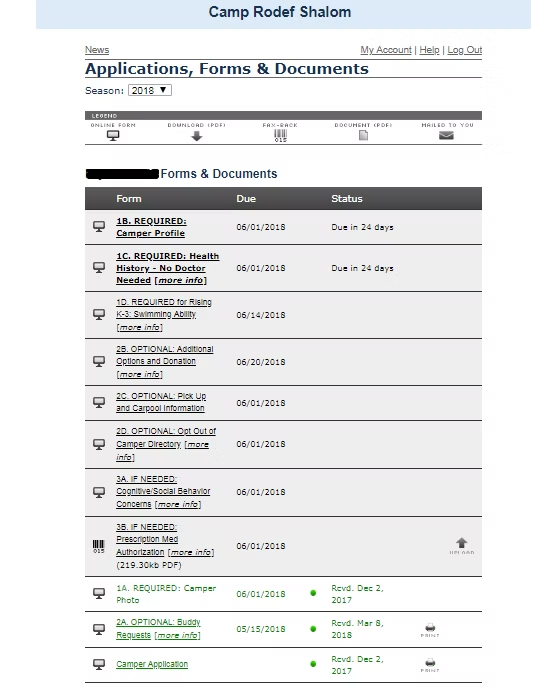
Here’s what the Forms Menu looks like (image 3). All your forms are listed with their corresponding due date:
Forms that are in Boldface are required from all campers. Forms 1A, 1B, 1C (and 1D for grades K-3) are all mandatory and must be completed by June 1. Please note that our Health History form does not need to be completed by a doctor.
Forms 2A – D are optional – complete them if you need to provide this information. Form 2A is our Buddy Request Form, which must be submitted by May 15.
Forms 3A and 3B are a little different. If either one of these forms apply to your camper, it is required. Please review these forms to see if they must be submitted.
If you have already submitted a form, it gets moved to the bottom of the list and is colored green. You can always update the information on a submitted form if you need to.
If a form is listed in red, it is overdue.
Image 3: Forms Module Menu
Financial Management Module
The Financial Management Module allows you to see what payment method you have placed on file. All payment information is stored in a Level 1, PCI Compliant vault. You can also change your payment information by adding a new credit card or echeck account here.
Payment History
You can also see your payment history and download a copy of your statement (perfect for documenting child care expenses for income tax purposes)!
Click on the Financial Management icon.
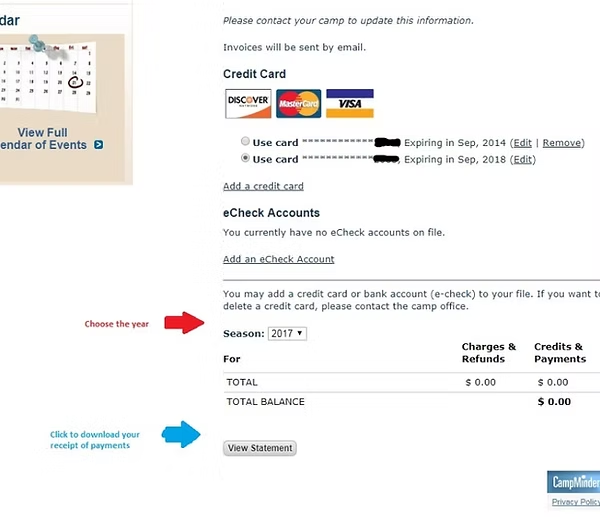
You will be taken to your statement page (Image 4).
Select the season you would like to view (red arrow), then click the “View Statement” button (blue arrow) to start a download of your financial statement, which shows all registrations, credits, and payments.
Camp Rodef Shalom is part of the Temple Rodef Shalom umbrella. TRS is a thriving, vibrant, inclusive, diverse, tolerant, sacred, loving Reform Jewish congregation located in the Northern Virginia. Since our founding in 1962, we have grown into the largest Jewish congregation in Virginia, serving over 1,800 households.